A flashcard for every word you meet.
Mendocles helps you remember the words you learn, in one language or several at once. A few minutes a day, a schedule that adapts to you, and nothing to sign up for.
Everything you need, nothing you don't
Mendocles is built around the words you want to learn, from a class, a book, a trip or a conversation, and helps you keep them.
Several languages at once
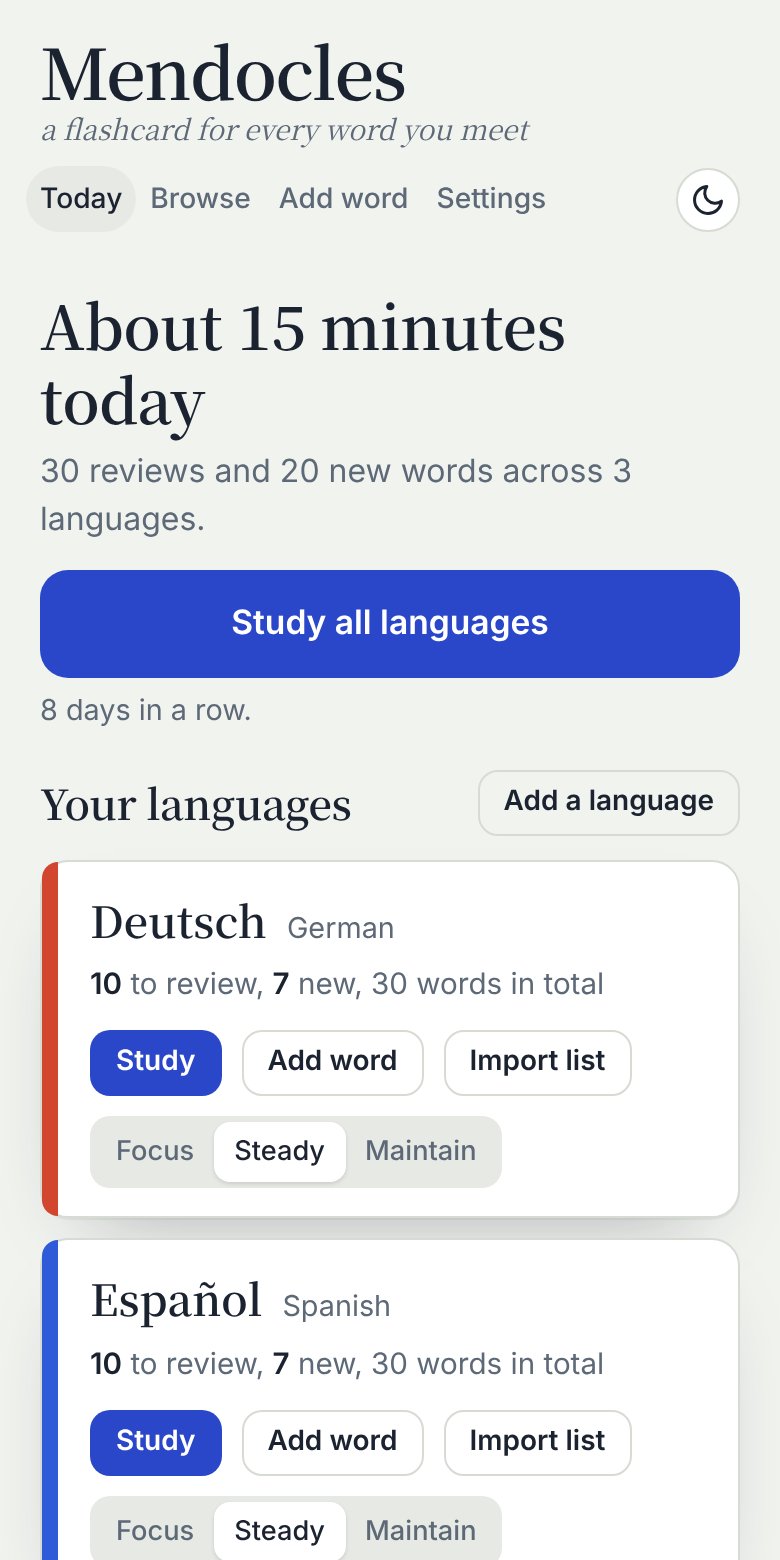
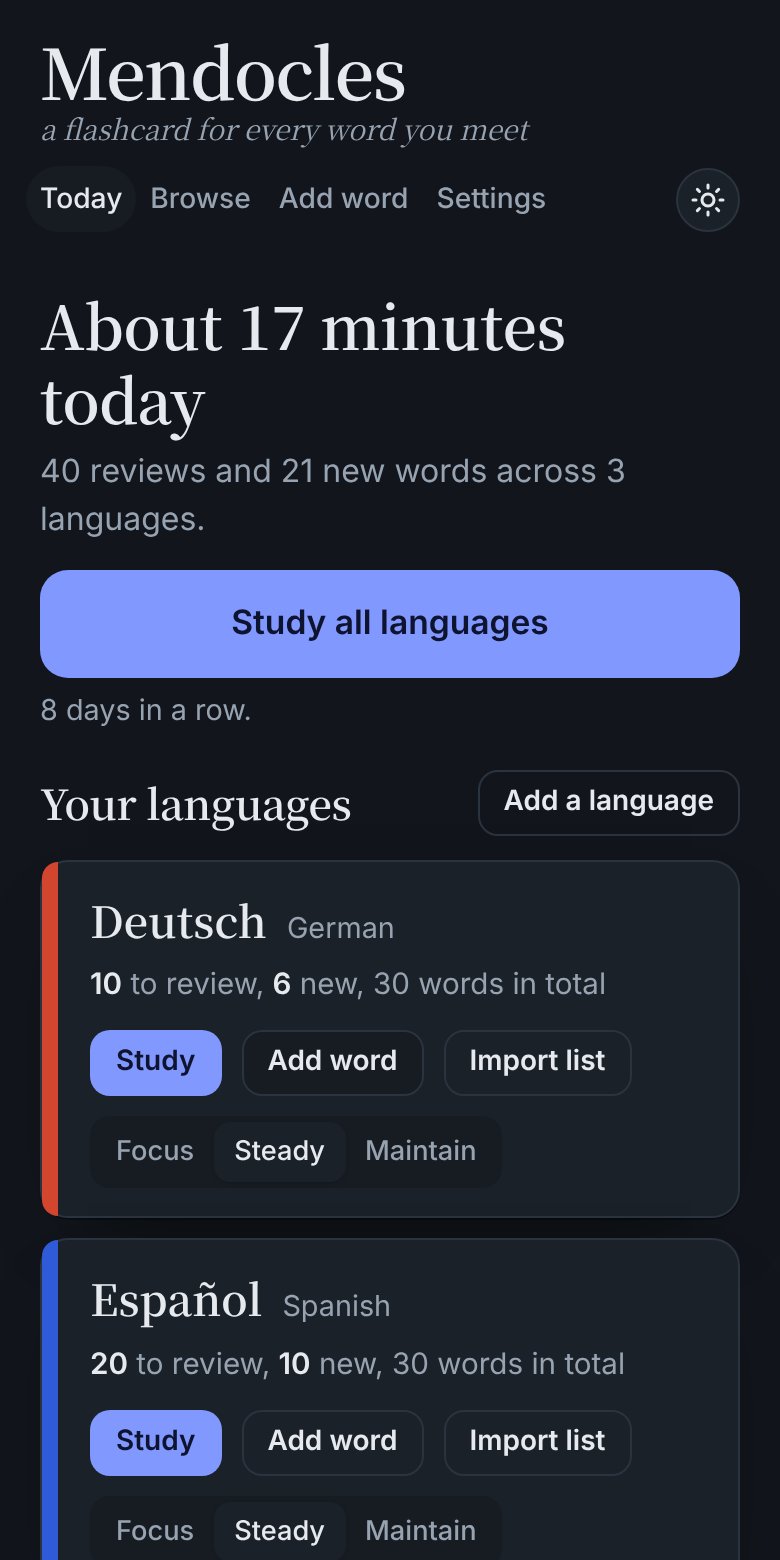
Study one language or many. Mark each one Focus, Steady or Maintain, and Mendocles splits your daily time between them.
Reviews at the right moment
Spaced repetition brings each word back just before you'd forget it, so a few minutes a day goes a long way.
Recall cards
See the meaning and say the word yourself. It's harder, and it's how you build speaking. Type your answer if you like, and Mendocles checks it.
Pictures and pronunciation
Add a picture to any card, and hear words and example sentences read aloud by your device.
Bring your own lists
Import your own word lists from a spreadsheet or text file into any language, any time. Optional starter words help you begin.
Private by design
Your words and progress stay on your device. No accounts, no ads, no tracking. Download a backup whenever you like.
Know what a word means, at a glance
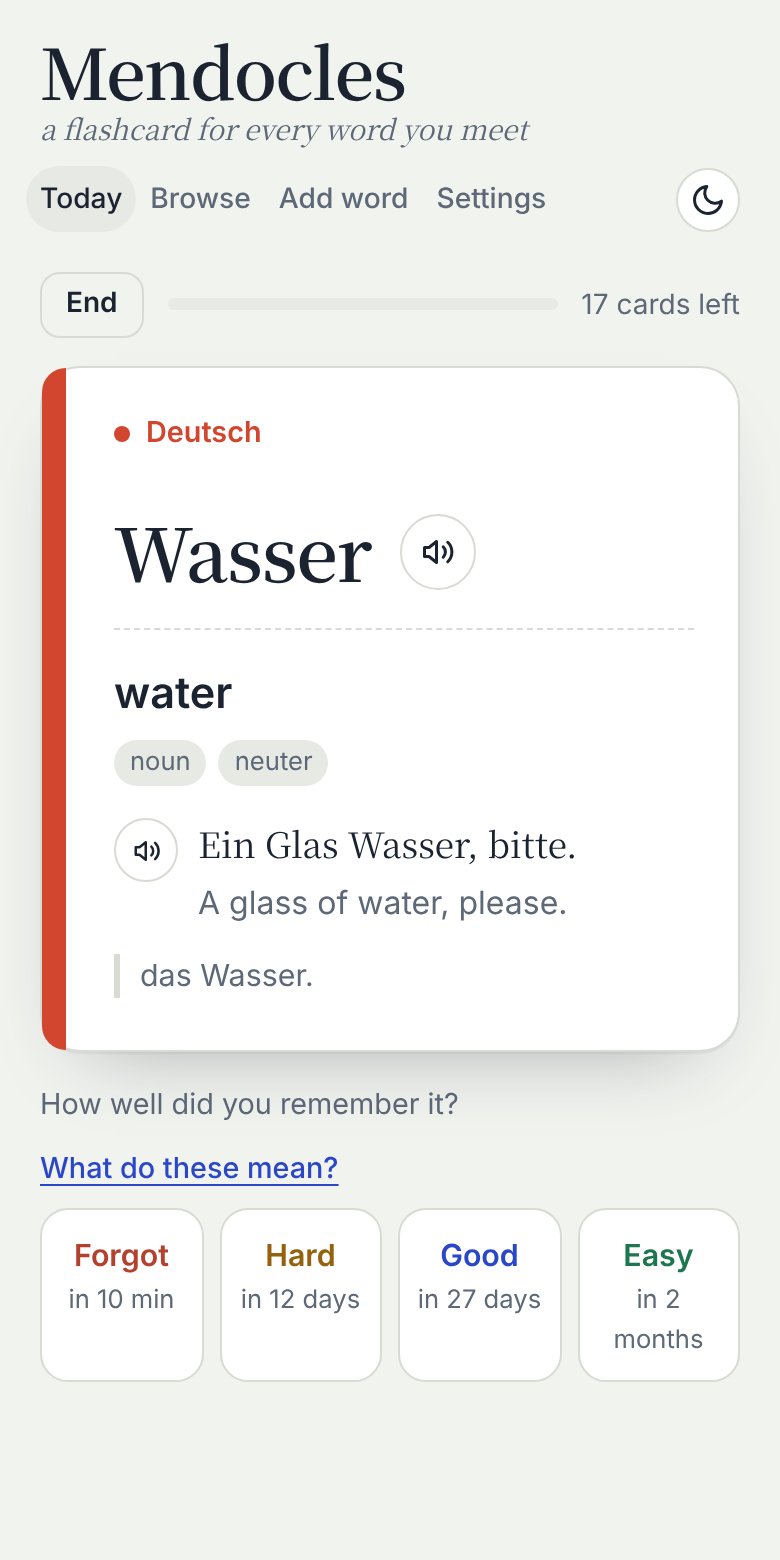
Each card shows the word, its meaning, an example sentence with its translation, and notes such as gender or irregular forms.
After each card, tap Forgot or Remembered. Each time you remember a word, the wait before you see it again doubles, so words you know drift further apart and tricky ones stay close. Want finer control? Switch to Classic in Settings for Forgot, Hard, Good and Easy.
Then say it yourself
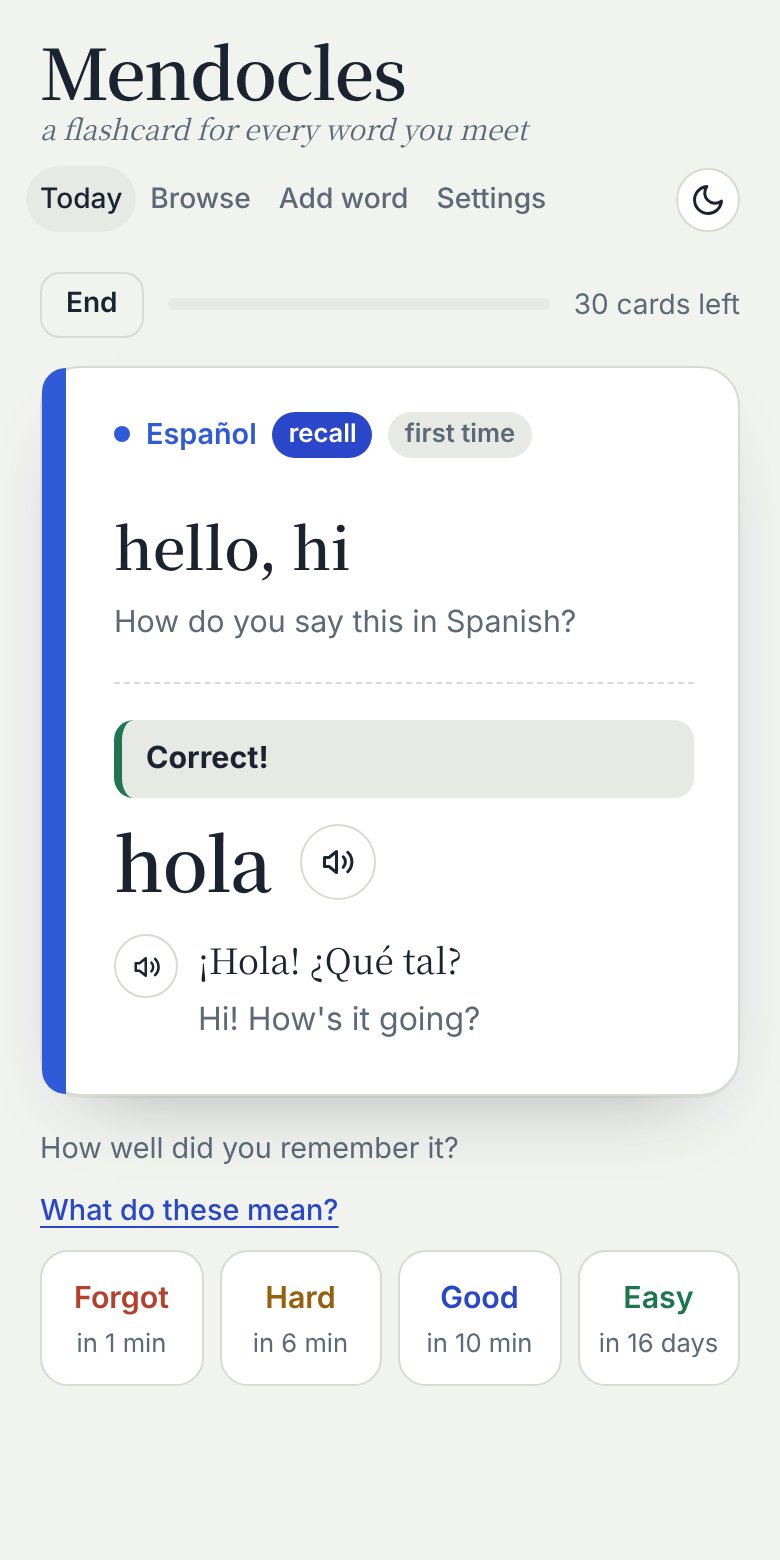
Recall cards flip the direction: you see "hello, hi" and come up with hola. Turn them on for any language, alongside your regular cards or instead of them.
Type your answer and Mendocles tells you if it's right, nearly right (check the accents), or not quite.
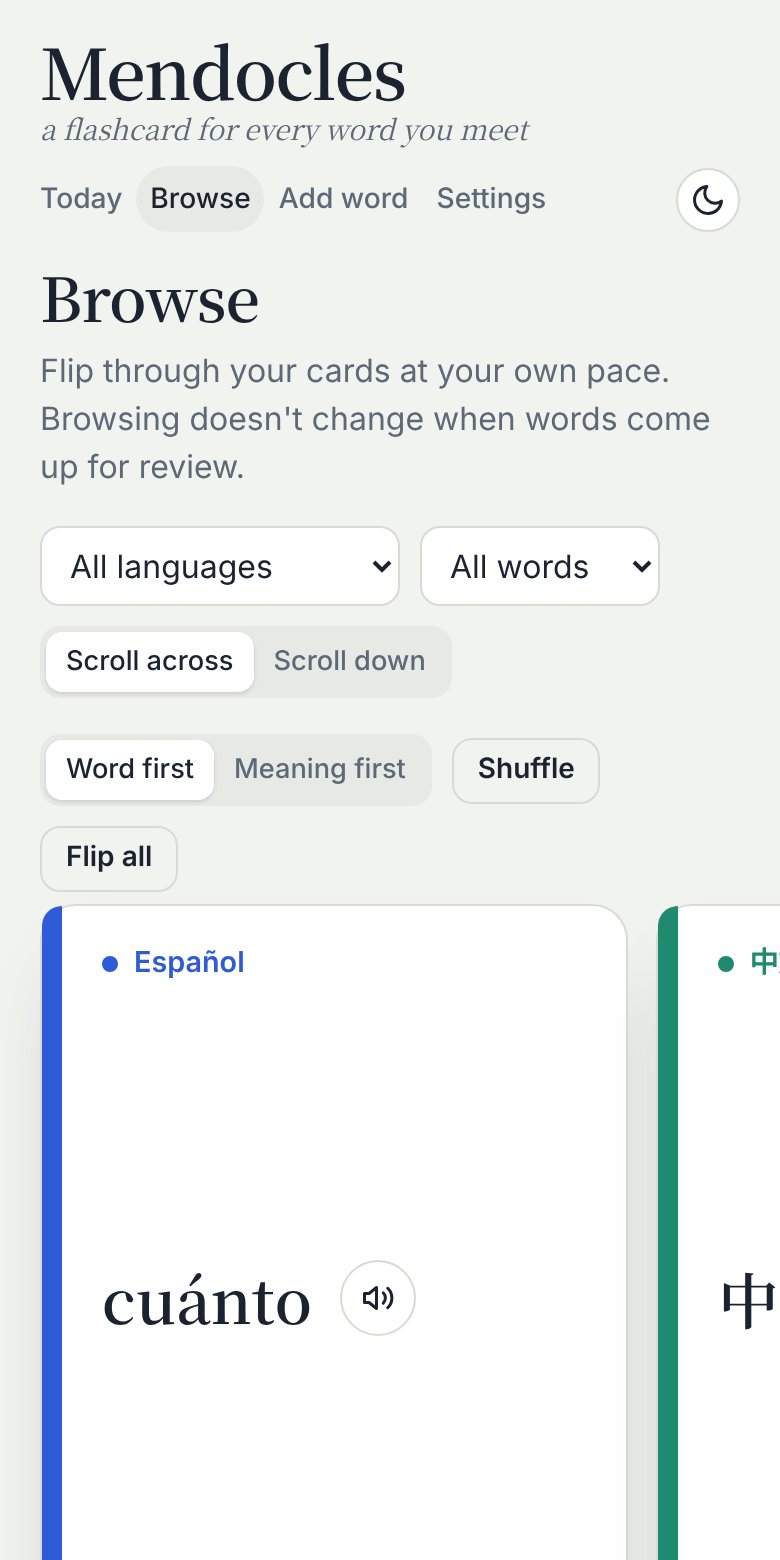
Browse and flip, just for fun
Scroll through your cards and flip them at your own pace. Browsing never changes your review schedule, so it's a relaxed way to look over what you know.
- Filter by language or progress
- Show the word or the meaning first
- Shuffle, or flip them all at once
Make your own lists with AI
The best words to learn are the ones from your own life: your job, your hobby, your next trip, the book on your nightstand. An AI assistant like Claude, ChatGPT or Gemini can build a personal list in seconds, ready for Mendocles.
- Copy the prompt and fill in the parts in brackets: your language, your interest, how many words and your level.
- Paste it into your AI assistant. You'll get your words in copyable blocks, grouped by theme. Want more? Ask for "20 more, about baking," and you'll get new words, not repeats.
- In Mendocles, open the language and tap Import list. Paste a block, check the preview, and tap Add. Each line becomes a full card with meaning, example sentence, translation and notes.
la sartén, frying pan, Calienta el aceite en la sartén., Heat the oil in the frying pan., feminine; pl. las sartenes
picar, to chop / to mince, Pica la cebolla muy fina., Chop the onion very finely., also means to sting or to snack
I'm learning [language] and I'm interested in [topic]. Give me [number] [beginner / intermediate / advanced] words, with meanings in [your language].

Create a list per these instructions: One word per line: the word, then its meaning, then an example sentence, its translation and notes (pronunciation, grammar, usage). Separate the columns with commas, and never use commas inside a column (use " / " or ";" instead). No header row or blank lines. Put the list in copyable code blocks of no more than 40 lines each, grouped by theme. Don't repeat any word already given in this chat.
AI can make occasional mistakes, such as a wrong gender or an awkward sentence. Give the preview a quick look before you add a list, and edit any card later.
How it works
Three steps, and a few minutes a day.
Pick your languages
Choose one or several. Add 30 starter words to begin, or start with an empty deck.
Add words you meet
Type a word and its meaning, add a picture or example, or import a whole list at once.
Study a little each day
Mendocles tells you what's due today and roughly how long it will take. Review, and watch your words stick.
18 languages, ready to go
Each comes with optional starter words and its own pronunciation voice. The app itself is available in English, Spanish, Portuguese and German.
Learning something else? Add any language by name and use it the same way.
Questions
Is Mendocles free?
Yes. Mendocles is free to use, with no ads.
Which devices does it work on?
Mendocles is an Android app, now in testing on Google Play. Email us to join the beta.
Where are my words stored?
On your device, inside the app. Nothing is uploaded and there's no account to create. You can download a backup file from Settings at any time and restore it later.
Can I import my own word lists?
Yes. Open a language, tap Import list, and paste your words or choose a text file. Put one word per line: the word, then its meaning, and optionally an example sentence, its translation and notes, separated by commas or tabs. Words already in that language are skipped.
How does the review schedule work?
Mendocles uses spaced repetition, and it keeps it simple. After each card you tap Forgot or Remembered. Each time you remember a word, the wait before you see it again doubles: 1 day, then 2, 4, 8, 16 days, about a month, two months and so on, up to 6 months. If you forget it, it comes back later in the same session and then starts over at 1 day. The time under each button tells you exactly when you'll see the word next.
Prefer more control? In Settings, switch the review schedule to Classic for four buttons: Forgot, Hard, Good and Easy. Good multiplies the wait by about 2.5, Hard grows it a little and Easy grows it more, and each word adjusts to how easy you find it. You can switch at any time, and every word keeps its current wait.
What if I already know a word well?
Retire it. On the back of any card in Browse, or when you edit a word, tap Retire. It stops coming up for review but stays in your list and counts as known. You can find retired words with the Retired filter in Browse and bring them back any time. You can also star your favorite cards and see them together with the Favorites filter.
I speak Spanish, Portuguese or German. Can I learn English?
Yes. Choose the language you speak when you start, and Mendocles shows its menus and buttons in that language, with English starter words translated for you.
Start with one word today
Mendocles for Android is in testing on Google Play. Email us and we'll send you an invitation.